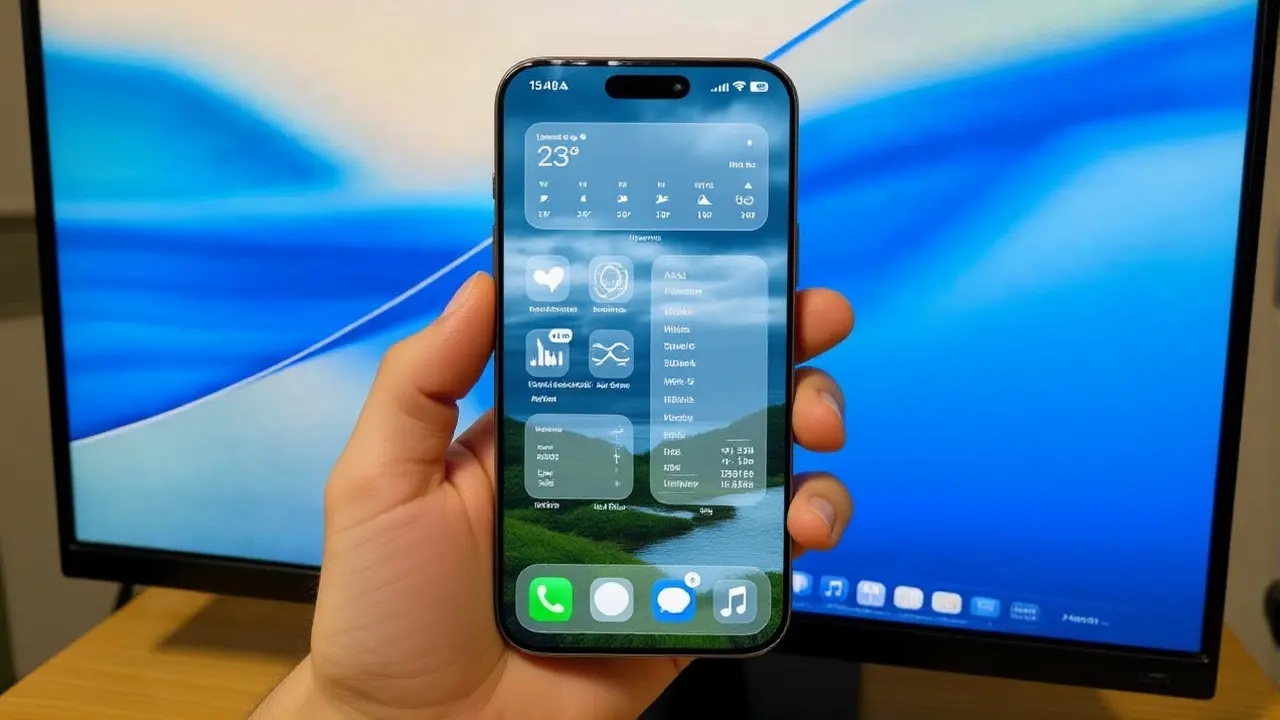
It’s a messy start for Apple. Just days after launching its latest mobile operating system, the tech giant has officially confirmed it is scrambling to fix a host of critical bugs plaguing iPhone users worldwide. The issues aren’t minor annoyances; they’re deal-breakers. From distorted camera lenses to completely non-functional facial recognition, the rollout of iOS 26 has left many users stranded.
The company acknowledged the chaos on Tuesday, confirming that a patch—dubbed iOS 26.0.1—is already in development. But here’s the kicker: you might have to wait until next week to get your phone back to normal. Until then, millions are dealing with overheating devices, frozen screens, and battery life that drains faster than a summer ice cream cone.
The Face ID Nightmare
If there’s one thing iPhone owners rely on, it’s the seamless security of their device. With iOS 26, that trust took a hit. A significant number of users reported that Face ID simply stopped working after the update. It’s not just slow; it’s dead.
The workaround? It’s clunky. According to reports from PhoneArena, affected users have to manually disable the "Stolen Device Protection" feature—a security layer designed to prevent unauthorized access if your phone is lost or stolen. You have to dig into Settings > Privacy & Security to toggle it off. Then comes the forced restart: press volume up, quickly press volume down, then hold the side button until the power slider appears. Swipe to shut down, reboot, and re-set Face ID. Only then can you turn Stolen Device Protection back on. It’s a tedious dance that shouldn’t be necessary for a major OS update.
More Than Just Biometrics
Face ID isn’t the only casualty. The camera app has become a source of frustration for photographers and casual snap-takers alike. Images captured on iOS 26 are reportedly coming out distorted, with weird color shifts and focus issues that make photos look like they were taken through a funhouse mirror.
Then there’s the heat. Many users describe their phones feeling uncomfortably warm, even when idle. This isn’t just uncomfortable; it’s bad for the battery. Rapid battery drain is widespread, with some users reporting their devices dropping 20% charge in under an hour. Add in Bluetooth connectivity drops and missing app notifications, and it’s clear this was a rough launch.
A particularly worrying bug involves privacy. A glitch in iOS 26 kept dismissed notifications stored locally on the device, raising fears that sensitive data could be accessed by malicious apps or unauthorized parties. Stuff.tv notes that the upcoming iOS 26.0.1 update specifically targets this vulnerability, ensuring deleted notifications stay deleted.
When Can We Expect the Fix?
The good news? Apple is moving fast. Sources indicate that iOS 26.0.1 could drop as early as Monday, May 22nd, 2026. If not Monday, expect it sometime during that week. The urgency is palpable given the severity of the issues.
This patch will focus strictly on stability and security. It won’t bring new features—that’s reserved for iOS 26.1, which is still in the works. That future update promises new languages for Live Translation with AirPods and a new tinted option for the Liquid Glass interface. But right now, users just want their phones to work.
Why This Matters
For a company known for polish and precision, this rocky start is unusual. It highlights the increasing complexity of modern mobile operating systems. As features like AI integration and advanced security layers grow, so does the potential for unintended consequences. For everyday users, it means patience—and maybe holding off on updating if you haven’t already.
Frequently Asked Questions
Should I install iOS 26 if I haven't yet?
If your current iOS version is stable, it might be wise to wait for the iOS 26.0.1 patch. The initial release has caused significant issues with Face ID, camera performance, and battery life. However, if you need specific features immediately, be prepared for potential glitches and have your password handy for manual unlocks.
How do I fix Face ID if it's broken after the update?
You must first disable "Stolen Device Protection" in Settings > Privacy & Security. Then, perform a forced restart by pressing volume up, quickly volume down, and holding the side button until the power slider appears. Swipe to turn off, reboot, and re-setup Face ID. Re-enable protection afterward.
When is the iOS 26.0.1 update expected to release?
Reports suggest the update could arrive as early as Monday, May 22nd, 2026. If not that day, it is expected within the same week. Apple has confirmed the patch addresses critical bugs including Wi-Fi connectivity, security vulnerabilities, and system stability issues.
Does iOS 26.0.1 include new features?
No, iOS 26.0.1 is focused on bug fixes and security patches. New features like additional Live Translation languages and Liquid Glass tinting options are reserved for the subsequent iOS 26.1 update, which is still in development.
Is my data safe with the notification bug?
The bug allowed dismissed notifications to remain in local storage, posing a privacy risk. The upcoming iOS 26.0.1 update specifically addresses this vulnerability. Until then, avoid installing untrusted apps and consider using passcode locks instead of biometrics if you're concerned about data exposure.